
How this tool works
Document PDF Formatter: a practical guide
Lays out your supplied paragraphs with a bundled Latin/Hindi font, wraps long lines and adds pages when the text exceeds the current page.
Steps to use this tool
- Enter a title and your document text.
- Generate the formatted PDF.
- Inspect wrapping, page breaks and Hindi glyphs where present.
Tested example — 19 October 2026
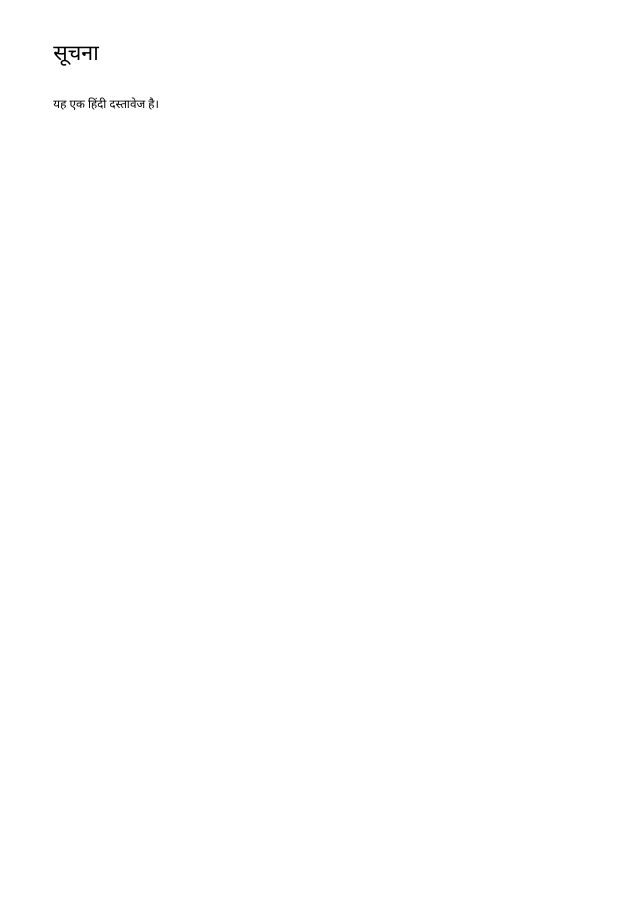
The sample exports the supplied Hindi title सूचना and body using an embedded Devanagari font.
Measured output: document.pdf — 9779 bytes; 1 PDF pages.
Sample settings:
{
  "title": "सूचना",
  "content": "यह एक हिंदी दस्तावेज है।"
}
Test environment: Node + native canvas + actual site-ui.js form integration in LinkeDOM Representative sample; inspect your own output.
Check the result
Read the final lines of each page to check wrapping. Verify Hindi characters against your input because a successful export still needs proofreading.
Files and privacy
The public tool processes selected documents in your browser. It does not send document bytes to a conversion server. The page and its bundled libraries still download from this website. Keep the original, use an up-to-date browser and inspect your output before sharing it. See the privacy policy for hosting and support information.
If processing fails
Input above the supported text length should be divided into smaller documents. Remove unsupported characters rather than expecting a substituted glyph to preserve the meaning.
Implementation notes and sample evidence updated 2026-10-19. These notes describe the supported operation and its limits.
Check the local-processing claim in your browser’s Network panel.