
How this tool works
Merge PDF: a practical guide
Copies the pages of each selected document into one new PDF. The file list is the output order; use the Move up and Move down buttons before processing.
Steps to use this tool
- Select two or more PDFs.
- Use the file-list controls to set their order.
- Choose Merge PDF, download the result and inspect each document boundary.
Tested example — 19 October 2026
The test merged a two-page document and a one-page document into three pages in A1, A2, B1 order.
Selected sample: sample-a.pdf (5028 bytes, 2 pages); sample-b.pdf (2969 bytes, 1 pages).
Measured output: merged.pdf — 6764 bytes; 3 PDF pages.
Reproduce this example with sample A (two pages) and sample B (one page). These files contain synthetic test text.
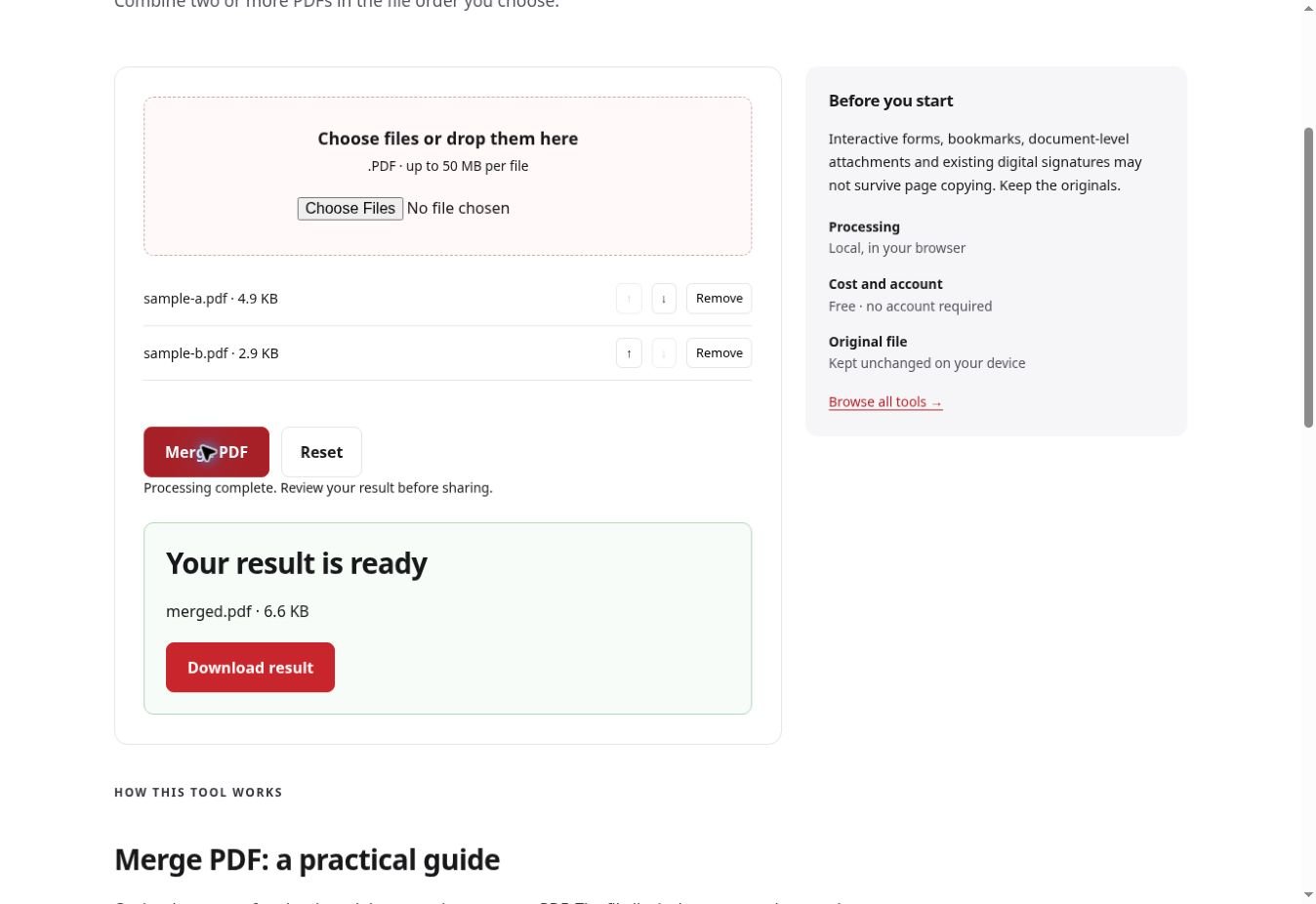
Test environment: Real Chrome on https://ilovepdf.store; native file chooser and downloaded output verified with an independent PDF parser. Representative sample; inspect your own output.
Check the result
Count the pages across both inputs and compare that total with the merged document. Open the joins between files to confirm the last page of one document is followed by the correct next page.
Files and privacy
The public tool processes selected documents in your browser. It does not send document bytes to a conversion server. The page and its bundled libraries still download from this website. Keep the original, use an up-to-date browser and inspect your output before sharing it. See the privacy policy for hosting and support information.
If processing fails
A password-protected input must be opened through an authorized unlock workflow first. If a source cannot be parsed, try opening that original in a PDF viewer rather than repeatedly merging the same damaged file.
Implementation notes and sample evidence updated 2026-10-19. These notes describe the supported operation and its limits.
Check the local-processing claim in your browser’s Network panel.